How to Create a MySQL Database in DirectAdmin #
Sooner or later, you’ll need a database for your site — WordPress, WooCommerce, and most CMS platforms require one to store content, users, and settings. DirectAdmin makes it easy to create MySQL databases and database users directly from your control panel.
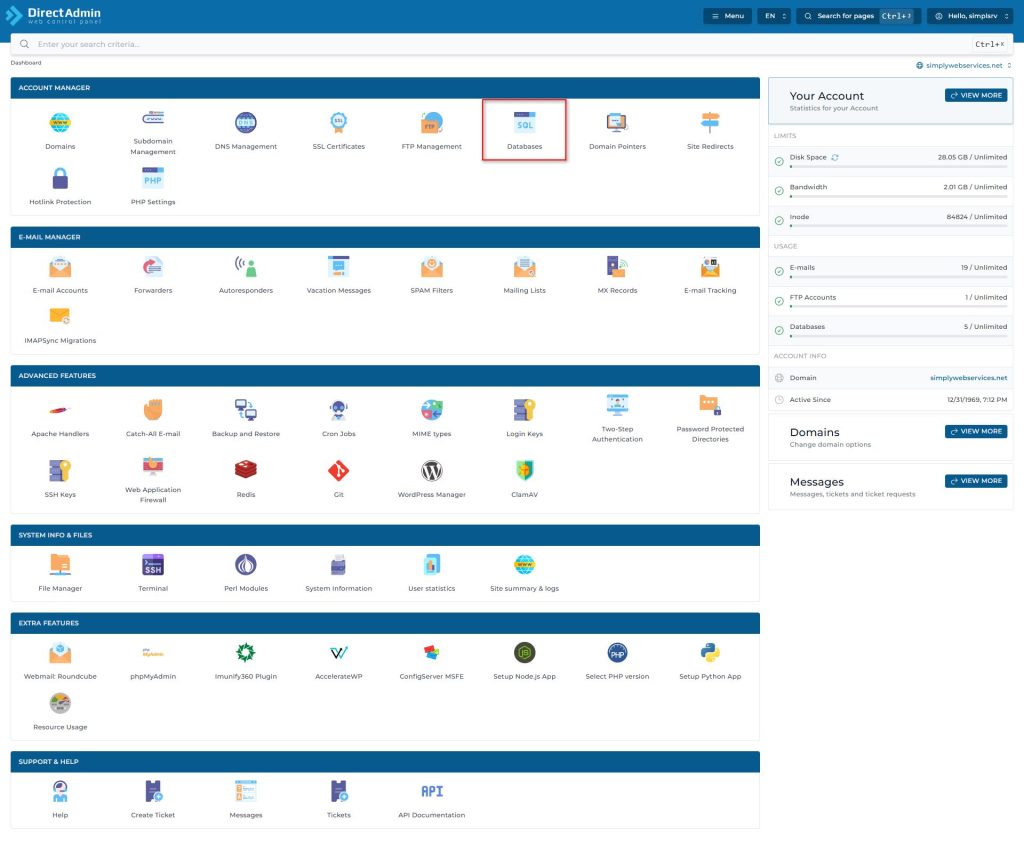
How to Create a New Database and User #
- Log in to your DirectAdmin control panel by accessing https://yourdomain:2222
- Navigate to Databases (under Account Management)
- Enter the database name, the database user you want to add, and the user’s password.
Database names and usernames automatically begin with your DirectAdmin username followed by an underscore — for example: `directadminusername_dbname` and `directadminusername_dbuser`.
4. Click the Create button. The database and user will be created. You will see a confirmation message: Database Created
With this tool, you can also Repair, Check and Optimize databases. Just select the database(s) and click the button for your intended action.
Using Your New Database with WordPress #
If you’re installing WordPress or another CMS, you’ll need these four values during setup (usually in `wp-config.php`): –
- Database Name: `directadminusername_dbname` –
- Database Username: `directadminusername_dbuser` –
- Database Password: the password you set in step 3 –
- Database Host: `localhost` (the default for DirectAdmin-hosted databases)
Managing Your Database #
Once created, you can Repair, Check, and Optimize your database directly from this screen — just select the database and click the button for your intended action.
For more advanced management (browsing tables, running SQL queries, importing/exporting data), see our guide on managing MySQL databases with phpMyAdmin in DirectAdmin.
Don’t forget to include your databases in your regular website backups to protect your content.


