Let's Go Phishing
Part 1 of 4
Recently, I (Joe) received an email that looked like one our email server would automatically send to a user.
It came from support@simplywebservices.com, and it was to joe@simplywebservices.com
The subject was “Pending messages couldn’t be delivered, Inbox Full 7/24/2024 10:47:51.“
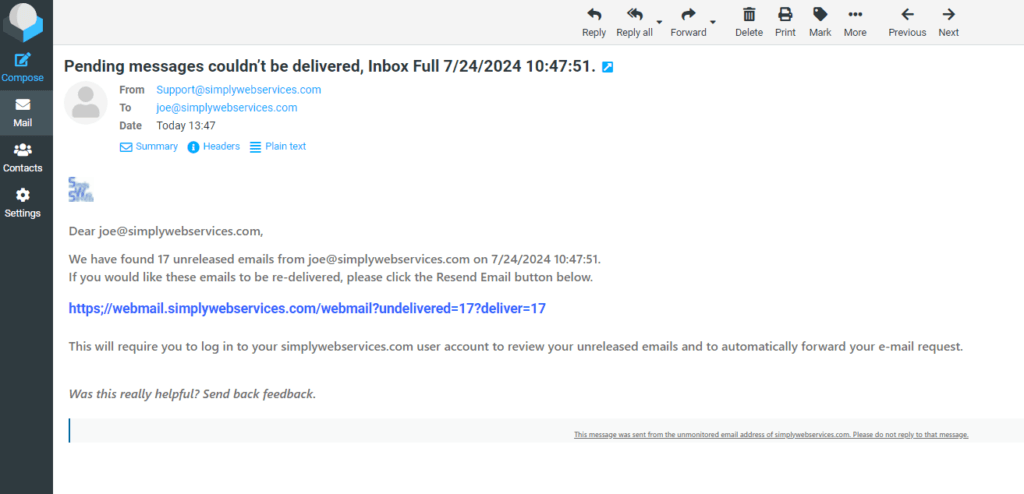
When I clicked on the URL, it redirected me to https://webmail_286532905.freekasaman.com/527807804cloudstore-#########?data=joe@simplywebservices.com.
(Yes, I clicked on the URL, but it was in a controlled environment, where nothing could be infected or hacked.
I was quickly redirected to https://3f32f4.imgloop.com/######.html?em=joe@simplywebservices.com. Of course, that was a fake (phishing) website, requesting my email credentials; the phisher was betting that I would enter my email name and password, so they could use it to gain access. (I obfuscated the URLs to protect the innocent)
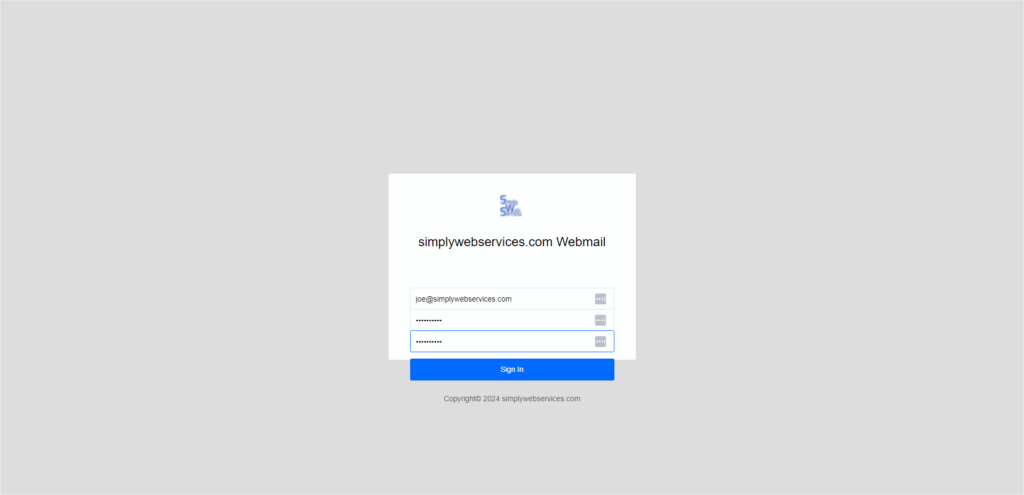
This was a very realistic-looking phishing email. Here are some things to help educate you so you can recognize something like this in the future.
- The URL isn’t correct. https;// instead of https:// (colon and semicolon)
- The logo is small and grainy (because they use a script to grab it and insert it into the email; they aren’t checking sizes). In this case, it is our favicon image (which is used when you bookmark a website)
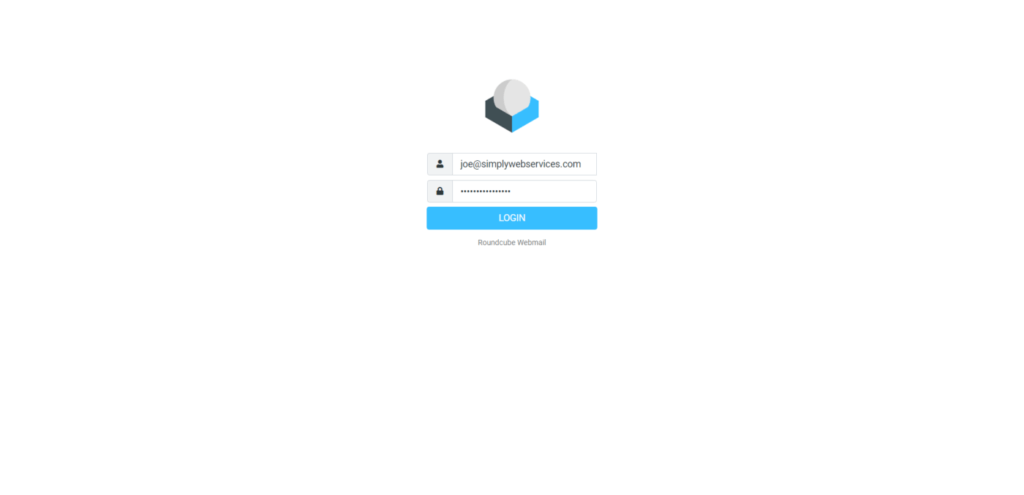
Please note that we use RoundCube for our webmail interface. The URL is always going to be https://yourdomain.com/webmail
- Let’s Go Phishing – Part 1
- Weekend Phishing Trip – Part 2
- Phishing Team – Part 3
- Email Phishing – Part 4
Received an email saying your inbox is full or messages couldn't be delivered? Don't click anything — contact us first.
Simply Web Services will never send you an unsolicited link to manage your inbox or reset your password. If you receive a suspicious email appearing to come from us, call or contact our support team immediately before taking any action.